September 17, 2013

How to : Use USB Drive as a Hardware key for computer

Howto : Use USB Drive as a Hardware key for computer


Windows has an inbuilt system utility called SysKey that can help you use a normal pen drive as an access device instead of a regular text based password. To do this
  • First step is to assign A: as your removable disk drive. This is because the utility was designed to work with floppy drives.

September 16, 2013

How to : Use Google Drive to Sync User Data in more than one PC

How to : Use Google Drive to Sync User Data in more than one PC


Google Drive is a great service no doubt, but simply installing the application, and synchronizing your files is just the first step. (The option for downloading and installing is available on the homepage of your online Google Drive at the bottom of the sidebar)
You can move your user data folders (Documents, Pictures, Music, Videos and Downloads) by right-clicking the folder and changing the destination path under ‘Location’ tab in the Properties menu.
  • Windows 7 users need to go to the Explorer panel to the left, Expend the collapsible Library folder, and right-click the “My Documents” or similar folder to get the properties menu.
  • Click on “Include a Folder”, Browse to Google Drive Sync Folder. Select “Set Save location”.

September 15, 2013

How to: Create & Share your very own QR code

How to: Create & Share your very own QR code


Recently, the QR Code system has become popular outside the automotive industry due to its fast readability and greater storage capacity compared to standard UPC barcodes. The code consists of black modules (square dots) arranged in a square grid on a white background.
QR_Code_Structure
QR codes can be used in Google’s Android operating system and iOS devices (iPhone/iPod/iPad), as

September 14, 2013

Create shortcut to modify registry files and add custom context menu

Create shortcut to modify registry files and add custom context menu

registry-shortcut-imageHave you ever wanted to create a shortcut which would speed up your registry editing skills ? or do you modify registry more frequently ? Here is a solution which will perform any task in less than 5 seconds. We will explain this tutorial by adding a custom option in windows Right Click Context Menu of a file. [Not Folder]

September 13, 2013

How To: Edit default location for installing Apps permanently

How To: Edit default location for installing Apps permanently

Fed up of changing the location of directory where your game or application should be installed? Then this solution is for you, as the size of hard drives increase, more people are using partitions to separate and store groups of files.
Windows uses the C:\Program Files directory as the default base directory into which new programs are installed. However, you can change the default installation drive and/ or directory by using a Registry hack.
Run the Registry Editor (regedit)and go to
HKEY_LOCAL_MACHINE\SOFTWARE\Microsoft\Windows\CurrentVersion

September 12, 2013

How to Export/Backup Windows Registry

How to Export/Backup Windows Registry


The Windows Registry is a hierarchical database that stores configuration settings and options on Microsoft Windows operating systems. It contains settings for low-level  operating system components as well as the applications running on the platform: the kernel, device drivers, services, SAM, user interface and third party applications all use the registry. The registry also provides a means to access counters for profiling system performance.
Its easy and fast, you can make a backup file for all of your registries stored in OS. You can also select a specific registry to backup if you want to.
Step 1 : Go to Start and enter ‘regedit’ in search bar or press Win+R to open RUN then type regedit and hit enter.

September 11, 2013

How to: Hide your data in a Audio Song

How to: Hide your data in a Audio Song

Introduction

Due to the way different file types are read it is possible to have a single file that acts differently depending on how it is read. For example sounds & images are read from the header down whereas ZIP files are read from the footer up.
All sound files should work, but some are more unpredictable that others. Mp3s seem to be the most reliable so this tutorial will be using them in the examples (plus who doesn’t love mp3 songs). All the steps are same if you want to use an image(.jpg) instead of sound.

September 10, 2013

Howto: Create a File of whatever size you want in Windows

Howto: Create a File of whatever size you want in Windows


You can create a file of any size using nothing more than what’s supplied with Windows.
There comes a time in every developers life where they need a data file for testing purposes and there are none handy. Rather than searching around for a file that fits your needs, the easiest thing to do is simply to generate one. There are a number of reasons why you might want to generate a data file. For example, recently we needed to test the file upload functionality of a little application we were writing at work, using a whole range of files of different sizes (from <1mb to="" up="">100Mb).

September 9, 2013

How to: Create folder that no one can access not even you

How to: Create folder that no one can access not even you

credit : http://www.softnuke.com/

These type of folders generally known as Private folders. To make Private folder which nobody can open, delete, see properties, rename we need to modify its permission for system. This can either done by going to its Properties > Security Tab or through Command Prompt, we will going to discuss later one.
  • First create a simple folder that you normally create.
  • For example- “softnuke”, in D drive so the Directory will look like “D:\softnuke”.
  • Open command prompt (Win+R ,type cmd) and then input the following command on the screen.

September 8, 2013

VLC Media player features you were ignoring until now

VLC Media player Xtra features


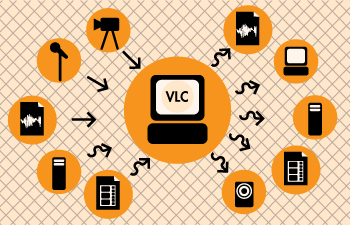
VLC-vlc_coverVLC is a free open source media player developed by VideoLAN. For quite some time now it has been the most popular media player across all platforms.